Dolly app and mobile play in 2026
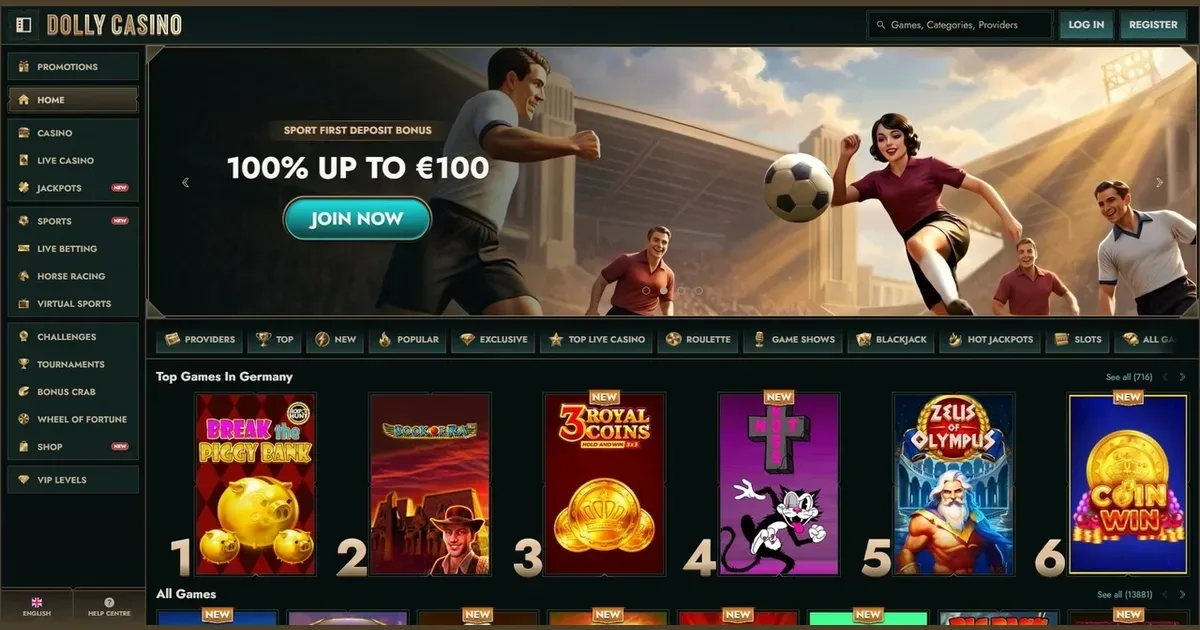
















Where mobile is worse than desktop
Dolly runs as a progressive web app rather than a traditional store download, and while that approach removes the friction of installing software, it brings constraints a player notices quickly on a smaller screen.
Live dealer tables suffer most. The video stream scales down, and on a phone held in portrait the betting panel pushes the dealer view into a narrow strip at the top. Landscape orientation helps, but many tables load a simplified mobile layout that hides game history and seat occupancy – information a desktop player sees at a glance.
Multi-table tournament play is impractical. A 5-inch screen cannot fit more than one game at a time, so switching between tables means closing one view and opening another. The operator provides no picture-in-picture mode, and browser tabs on mobile reload the game engine each time you switch, which costs seconds a scheduled tournament does not give back.
The cashier works, but small touch targets make entering a withdrawal amount fiddly. A misplaced tap can submit the wrong figure, and the confirmation screen sometimes loads below the fold on shorter devices, leaving a player uncertain whether the request went through.
A short checklist before you play on mobile
Run through these before a session, because a problem noticed mid-game is harder to fix when you are already staked in.
- Connection – Use Wi-Fi where possible; a 4G connection that drops during a live hand can time out your turn, and the operator will not reverse the result.
- Battery – Live games and animated slots drain power quickly. Start a session below 20% and the device may shut down before you can withdraw.
- The operator's actual address – Phishing sites that mimic the real login page are common. Check the domain in the address bar matches the one published on this site.
- Limits set in advance – Deposit and loss limits configured in your account settings apply across devices, but the mobile interface makes them less visible than the desktop cashier does. Set them before you start, not during.
- Shared devices – If the phone or tablet belongs to a household, sign out completely after each session. Browser autofill can hand account access to anyone who picks up the device next.
The honest answer on apps
Dolly does not publish a native iOS or Android app in the Apple App Store or Google Play. The platform instead provides a progressive web app, a browser-based experience that behaves like an installed application without requiring a download from a store.
That matters because the operator's own licensing jurisdiction – Curaçao – does not grant the regulatory clearance most app stores demand before listing gambling software. A PWA sidesteps that gate: it lives on the operator's own servers, loads in Safari, Chrome or any mobile browser, and can be saved to the home screen as a shortcut with its own icon.
The trade-off is capability. A PWA cannot send push notifications, cannot access the device's fingerprint sensor for biometric login, and cannot cache the full game library offline. Every session requires an internet connection, and the app's state resets if the browser clears its cache.
For a player who wants one-tap access from the home screen and does not need those features, the PWA works. For someone expecting a fully native experience, this is not that.
The browser route in practice
The most reliable way to reach Dolly from a phone is to open the operator's site in a mobile browser and log in the same way you would on a desktop. The account is shared – balances, bonuses and transaction history all carry over – and no separate mobile registration exists.
Here is the sequence:
- Open Safari (iOS), Chrome or Firefox (Android) and navigate to the operator's domain.
- Tap the login button at the top right and enter the credentials you created during desktop registration.
- Once logged in, the site detects the screen size and loads a mobile-optimised layout automatically.
- To save the site to your home screen: on iOS, tap the share icon and select "Add to Home Screen"; on Android, tap the three-dot menu and select "Install app" or "Add to Home screen".
The shortcut launches the PWA in a standalone window without the browser's address bar, which makes it feel closer to a native app. The underlying technology is still a website, so updates happen server-side and no App Store approval cycle delays them.
Features that survive the small screen
Despite the layout compromises, several parts of the Dolly experience translate cleanly to mobile.
Slots work well. Most providers design their games mobile-first, so a title like Book of Dead or Starburst scales the reels and controls to fit a portrait screen without clipping. Bonus-buy mechanics, autoplay and paytable access all remain available, and load times are comparable to desktop on a decent connection.
The cashier is fully functional. Deposits, withdrawals and transaction history load in the mobile interface, and every payment method the operator supports on desktop – cards, e-wallets, crypto – appears in the mobile menu. Processing times and limits are identical across devices.
Support channels remain open. Live chat and email both work from the mobile site, and the 24/7 availability Dolly advertises applies regardless of which device you use. Response times do not differ by platform.
Responsible gambling tools carry over. Deposit limits, loss limits, wager caps and self-exclusion settings configured in the account section apply across desktop and mobile sessions without needing to be set twice. Time limits and session reminders remain active, though the smaller screen makes them easier to dismiss without reading.
The game library itself is large enough – more than 3,000 slots according to the operator – that the mobile browser cannot display every title at once. A search bar and category filters help, but scrolling through hundreds of thumbnails on a 6-inch screen is slower than desktop navigation.
Staying in control on a device you always carry
A phone is more accessible than a desktop, which makes it easier to play whenever the urge strikes. That convenience is a feature when gambling remains entertainment, and a problem when it does not.
Set deposit and loss limits before a mobile session begins, not during one. The operator provides those tools in the account settings, but the mobile layout tucks them behind a menu that is easy to ignore once a game is open.
If gambling starts to feel urgent rather than enjoyable, or if the amount of time spent on the site surprises you when you check later, those are signals worth acting on. The self-exclusion tool Dolly offers locks the account for a period you choose – from 24 hours to permanent closure – and applies immediately across all devices.
Free confidential support is available through BeGambleAware and the National Gambling Helpline on 0808 8020 133, 24/7. GamStop provides free national self-exclusion across all UKGC-licensed sites, and while Dolly operates under Curaçao rather than UK jurisdiction, Gamban and BetBlocker block access at the device level, covering any operator domain. This site is restricted to players aged 18 and over (18+).
This page is for information and marketing purposes only. We are not a casino operator, a bookmaker or an organiser of gambling. Access to this content is restricted to persons aged 18 and over (18+). We encourage you to gamble responsibly – for free, confidential support visit BeGambleAware.org.
Last updated:
Frequently asked questions
Is there a Dolly app to download from the App Store or Google Play?
No. Dolly does not publish a native app in the Apple App Store or Google Play. The platform offers a progressive web app that runs in your mobile browser and can be saved to your home screen as a shortcut.
Can I deposit and withdraw on my phone?
Yes. The mobile cashier supports all the payment methods available on desktop, including cards, e-wallets and crypto. Processing times and limits are the same across devices.
Do all games work on mobile?
Most slots work well on mobile, as providers design them for smaller screens. Live dealer games are functional but the video stream and betting panel are compressed, which can make the experience less comfortable than on desktop.
How do I access Dolly on my phone?
Open the operator's site in a mobile browser and log in with the same credentials you use on desktop. You can save the site to your home screen for one-tap access.
Game Providers